
Court Search serves as a critical tool for legal professionals, researchers, and citizens who need fast, reliable access to court records. Unlike generic background check sites, this system pulls directly from official state databases, ensuring accuracy and timeliness. Whether you’re verifying a civil judgment, tracking a criminal case, or researching family law matters, Court Search provides real-time data with minimal delay. The platform’s integration with the North Carolina AOC means users see updates within hours of official filings. This direct link eliminates third-party errors and reduces the risk of outdated or incomplete information. With over two decades of operation, the service has built trust through transparency, compliance, and consistent performance.
How Court Search Works
Court Search operates through a secure online portal that syncs nightly with the North Carolina Administrative Office of the Courts. Each day at 2:00 AM EST, the system pulls new case filings, updates existing records, and verifies dispositions. This automated refresh ensures that users always access the most current data without manual intervention. The interface allows searches by name, case number, or date range, and results display key details like filing status, involved parties, and court outcomes. Filters help narrow results by jurisdiction, case type, or legal category, making it easier to locate specific records quickly.
The platform supports both basic and advanced search modes. Basic searches require only a last name or case number, while advanced options let users add middle initials, offense dates, or charge types. For example, someone looking for a 2023 DUI case in Wake County can filter by offense type and year to reduce clutter. Results appear in a clean table format with clickable links to full docket sheets. All data is presented in plain language, avoiding legal jargon unless necessary. This design helps non-lawyers understand case statuses without confusion.
Key Features of Court Search
One standout feature is the Nationwide Search Results tab, added in 2011. This section compiles public records from all 50 states, allowing users to run cross-state background checks or verify multi-jurisdictional cases. It’s especially useful for employers, landlords, or legal teams handling clients across state lines. The tab includes filters for state, case type, and filing date, helping users avoid irrelevant results. Another innovation is the “Buy Later” option, which lets users save detailed reports for up to 30 days without immediate payment. This helps budget-conscious users plan purchases and reduces pressure during time-sensitive research.
The system also offers strong customer support. Users can call 866‑846‑0797 to speak with a live representative during business hours or email [email protected] for written assistance. Support staff are trained to explain search functions, clarify legal terms, and troubleshoot technical issues. Response times average under two hours for emails, and phone wait times rarely exceed five minutes. This level of service sets Court Search apart from free or low-cost alternatives that often lack human support.
Courtsearch.com Login Portal
Accessing Court Search begins at the dedicated login portal. Users enter their credentials to reach the main dashboard, where they can start new searches or review past queries. The login page includes clear instructions for first-time visitors and a password recovery option for returning users. Security is prioritized—sessions expire after 15 minutes of inactivity, and all data transfers use SSL encryption. This protects sensitive information like Social Security numbers or financial details that may appear in case files.
Once logged in, users see two primary tabs: North Carolina Search Results and Nationwide Search Results. The NC tab focuses on local cases, while the Nationwide tab expands coverage to other states. Both sections use the same search interface, so switching between them requires no relearning. The dashboard also displays recent activity, saved reports, and account settings. This layout keeps essential tools visible and reduces clicks, saving time for busy professionals.
https://www.courtsearch.com/login 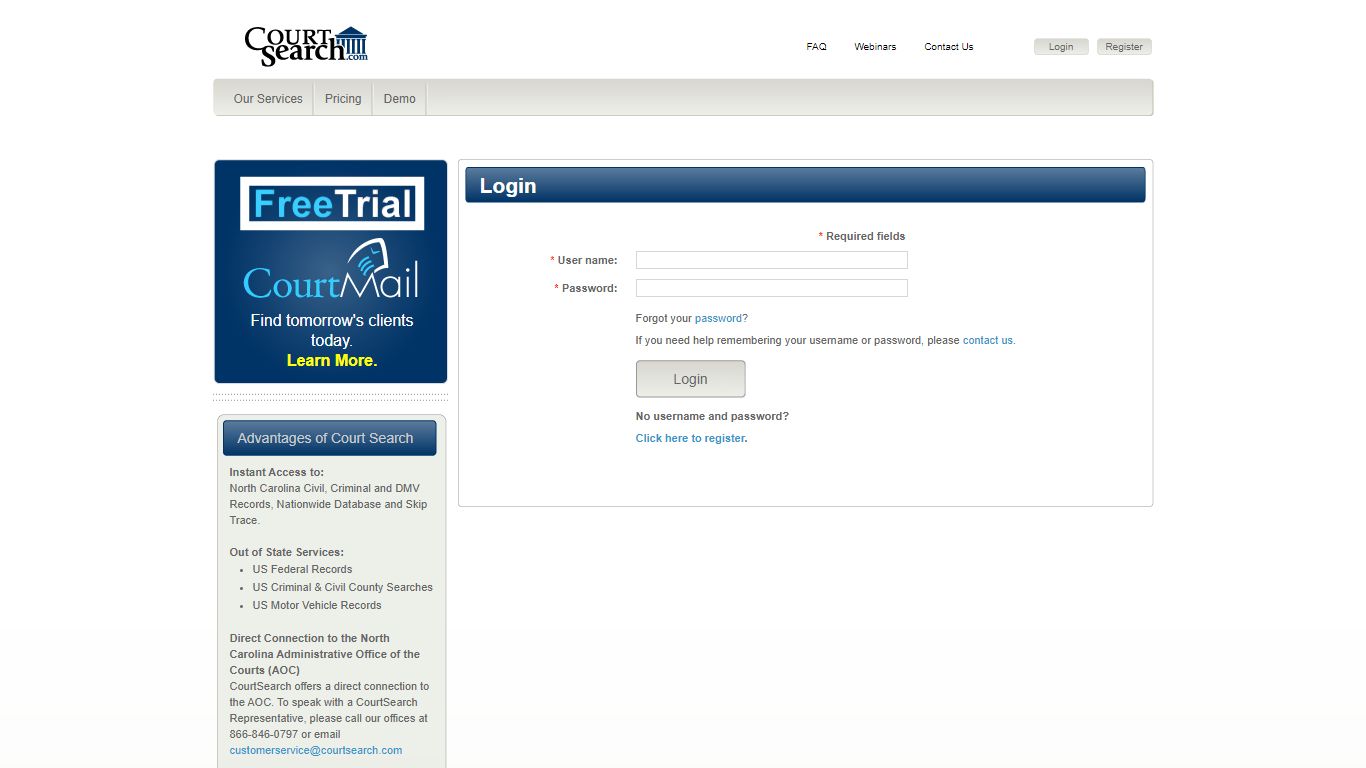
Courtsearch.com Overview
Courtsearch.com functions as the central hub for North Carolina court records and expanded national data. Launched in 2011 with major upgrades, it now serves thousands of users monthly, including law firms, media outlets, and private investigators. The site emphasizes speed, accuracy, and ease of use. Its design avoids clutter, using white space and clear labels to guide users through each step. Mobile responsiveness ensures access on phones and tablets, which is vital for field researchers or journalists covering breaking legal news.
The platform complies with state and federal privacy laws. Personal identifiers like dates of birth or addresses are redacted when required, and sensitive cases (e.g., juvenile or domestic violence) may have restricted access. These safeguards protect individuals’ rights while maintaining public transparency. Court Search also publishes a detailed privacy policy and terms of use, explaining how data is stored, who can view it, and under what conditions records might be withheld.

Wisconsin Court System – Case Search
Wisconsin’s Judicial Branch offers a robust alternative for users outside North Carolina. Its online portal covers over 350,000 active cases across the Supreme Court, Court of Appeals, and circuit courts. Updates occur hourly, making it one of the fastest-refreshing systems in the U.S. Users can search by docket number, judge name, or case status, and results include filing timestamps, outcomes, and downloadable opinion PDFs. The system follows Wisconsin Statute §13.92, which mandates open access while shielding sensitive personal data.
Advanced filters allow precise searches. For instance, a researcher can limit results to felony cases presided over by Judge Smith in Milwaukee County. This granularity helps legal professionals prepare for hearings or track judicial trends. The interface is intuitive, with dropdown menus and tooltips guiding new users. Unlike some states, Wisconsin does not charge fees for basic searches, though document downloads may incur small costs.
http://wicourts.gov/casesearch.htm
Alaska Court System – Search Appellate and Trial Cases
Alaska provides public access to over 95,000 court opinions dating back to 1975. These include decisions from the Supreme Court, Court of Appeals, Superior Courts, and District Courts. Each record lists the case number, presiding judge, citation, and final disposition. PDF downloads are available for most documents, and the system updates nightly from the Department of Law’s repository. Users can also pay traffic fines or citations online through a secure portal linked to the case search.
The search function supports keyword queries, date ranges, and party names. For example, typing “Smith v. State” returns all matching cases with summaries and full texts. This depth aids legal scholars and journalists analyzing long-term judicial patterns. Alaska’s system stands out for its historical archive, which predates many digital court databases. However, older records may lack metadata, so users should verify details before citing them in formal work.
https://courts.alaska.gov/main/search-cases.htm
Bexar County Criminal Court Records Search
Bexar County, Texas, maintains a statewide criminal records database with over 120,000 entries dating back to 1990. Users enter a last name and first name (middle initial optional) to locate arrests, charges, or convictions. Advanced mode adds filters for case number, offense date, and charge type. Results show docket numbers, court locations, and disposition statuses. The system is maintained jointly by the County Clerk and District Clerk offices, ensuring data consistency.
This tool is popular among employers and landlords conducting background checks. However, users should note that not all records are publicly accessible—some may be sealed or expunged. The site includes a disclaimer advising users to confirm eligibility before relying on results for hiring or leasing decisions. Updates occur daily, though delays can happen during high-volume periods like holiday court sessions.
New Jersey Municipal Court Case Search (MCCS)
New Jersey’s MCCS portal helps users find traffic tickets, municipal complaints, and related court actions. To search, you must provide one identifier: ticket number, complaint number, driver’s license number, or the charged individual’s name. Results display the alleged violation, fine amount, court date, and payment status. The database refreshes weekly, so recent filings may not appear immediately. All searches are encrypted to protect user privacy.
The system is designed for speed and simplicity. Most queries return results in under ten seconds, and the interface works well on mobile devices. Users can pay fines directly through the portal using credit cards or electronic checks. For complex cases, the site links to local court websites with additional details. This integration reduces the need to visit multiple platforms, saving time for residents and legal staff.
https://portal.njcourts.gov/webe41/MPAWeb/index.jsp
Maryland Judiciary Case Search – User Agreement
Maryland’s CaseSearch portal grants access to over 300,000 criminal, civil, and family law records. Before searching, users must accept a disclaimer stating the data is for research only and cannot be used for commercial solicitation. This rule aligns with Maryland Rule 1‑303, which governs public access to court files. The system updates nightly, pulling from the state’s central docketing database. Results include case numbers, filing dates, charges, and outcomes.
Exact-match name searches are required as of December 2021. To perform partial searches, users add a percent sign (%) after the first character of the last name (e.g., “S%”). First names remain optional. This change improves accuracy but may require adjustment for users accustomed to broader queries. The platform also supports searches by case number, docket ID, or filing year, covering all circuit and appellate courts.
http://casesearch.courts.state.md.us/casesearch
Pima County (Arizona) Case Search Portal
Pima County offers public access to Arizona state court records under Supreme Court Rule 29. Users can search criminal, traffic, and family law cases, each with a docket sheet PDF, filing dates, and dispositions. Records follow the Arizona State Archives retention schedule and are purged after statutory periods. The system updates every two hours, covering over 80,000 active filings. This frequent refresh rate ensures near-real-time accuracy.
The interface includes filters for case type, date range, and party name. Results are sortable by relevance or date, helping users prioritize recent activity. For sensitive cases, access may be restricted based on court orders. The site also provides contact information for the Clerk’s Office, enabling users to request physical copies or clarifications. This hybrid approach balances digital convenience with traditional recordkeeping.
https://www.jp.pima.gov/casesearch/
California Courts – Official Home Page
California’s court website serves as a gateway to 58 Superior Courts, appellate opinions, and jury services. Users can locate local courts, pay traffic citations, or explore family law resources. The appellate database holds over 250,000 decisions dating back to 1850, filterable by case number, decision date, or legal issue. This archive supports academic research and precedent analysis. The site also features self-help guides and forms for pro se litigants.
Search functionality varies by county. Some jurisdictions offer advanced filters, while others use basic name or case number queries. Updates occur daily, though rural courts may lag due to staffing constraints. The state encourages electronic filing through its eCourt system, which reduces paper use and speeds processing. For technical issues, users can contact the Judicial Council’s help desk during business hours.
United States Federal Courts – Court Records Access
Federal courts use the PACER system to provide public access to case files. These include docket entries, pleadings, motions, and final orders. Users search by case number, party name, or filing date and retrieve documents in PDF format. The CM/ECF system allows attorneys to file electronically, with fees outlined on the PACER website. While PACER charges per page viewed, some records are free during certain periods or for low-income users.
PACER covers all federal district and appellate courts, making it essential for national legal research. However, the interface is less user-friendly than state systems, requiring familiarity with legal terminology. Training materials and FAQs are available, but new users may need guidance. Despite its complexity, PACER remains the gold standard for federal court transparency, used daily by lawyers, journalists, and policymakers.
https://www.uscourts.gov/court-records
Related Search Terms
Additional public-record resources include inmate databases, address verification tools, and mugshot collections. These services often partner with government sites but operate independently. Examples include Bay County Jail Inmates Mugshots, Check Mail Address, and Busted Mugshots Wise County Tx. Users should verify the legitimacy of such platforms, as some may charge high fees or display outdated information. Always cross-reference with official court sources when possible.
Bay County Jail Inmates Mugshots Check Mail Address Busted Mugshots Wise County Tx
Frequently Asked Questions
Many users have questions about court search systems, data accuracy, and access rules. Below are common inquiries with clear, factual answers based on current policies and technical standards.
How often is Court Search updated?
Court Search updates nightly at 2:00 AM EST. This schedule ensures that all case filings, dispositions, and party changes from the previous day are included. The North Carolina Administrative Office of the Courts processes new data throughout the day, and the automated sync captures these updates before dawn. Users can trust that searches performed after the refresh reflect the most recent official records. Hourly updates are not available, but the nightly cycle is sufficient for most legal and research needs. During holidays or system maintenance, updates may be delayed by up to 24 hours. Notifications about outages appear on the login page and via email alerts for registered users.
Can I use Court Search for employment background checks?
Yes, but with important limitations. Court Search provides public records that employers may review during hiring, but federal and state laws restrict how this information is used. The Fair Credit Reporting Act (FCRA) requires consent from candidates and limits reporting of certain offenses beyond seven years. Additionally, some records may be sealed, expunged, or incomplete. Employers should verify findings with official sources and avoid discriminatory practices. Court Search itself does not provide FCRA-compliant reports—users must ensure their methods meet legal standards. For best results, consult an attorney or certified background screening service.
Why can’t I find a case in the database?
Several reasons may explain missing cases. First, the case might not yet be processed by the court clerk. New filings can take 24–48 hours to appear. Second, the case could be under seal due to privacy laws, juvenile status, or protective orders. Third, spelling errors or incomplete names in the search field can prevent matches. Try using exact names, case numbers, or broader date ranges. If a case still doesn’t appear, contact the court directly or call Court Search support at 866‑846‑0797. Staff can check internal logs or confirm whether the record exists in the system.
Is Court Search free to use?
Basic searches on Courtsearch.com are free, but detailed reports may require payment. The “Buy Later” feature lets users reserve full docket sheets for up to 30 days without immediate cost. When ready, they pay a small fee per document. Pricing varies by report type and length, typically ranging from $5 to $25. Free access includes case summaries, party names, and disposition statuses. For bulk or commercial use, special accounts with volume discounts are available. Always review the fee schedule before purchasing to avoid unexpected charges.
How do I correct an error in a court record?
Court Search displays official records from the North Carolina AOC. If you spot an error—such as a misspelled name or incorrect charge—you must contact the court where the case was filed. Court Search cannot modify records; only judges or clerks have that authority. Visit the court’s website or call their office to request a correction. Bring proof of the mistake, like a court order or ID. Once corrected, the change will appear in Court Search after the next nightly update. For urgent issues, explain the situation to court staff—they may expedite the fix.
Are federal cases included in Court Search?
No, Court Search focuses on North Carolina state courts and the Nationwide tab aggregates select public records from other states. Federal cases are not part of this system. To access federal dockets, use PACER.gov, which covers all U.S. district and appellate courts. PACER requires registration and charges per page viewed. Some federal courts also offer free access to recent opinions on their websites. If your research involves both state and federal matters, you’ll need to use multiple platforms. Court Search support can guide you to the right resources but cannot retrieve federal documents directly.
What happens if I forget my login password?
Click the “Forgot Password” link on the Courtsearch.com login page. Enter your email address, and the system will send a reset link within minutes. Follow the instructions to create a new password. If you don’t receive the email, check your spam folder or contact support at [email protected]. Include your full name and account email for faster assistance. Passwords must meet security requirements: at least eight characters with letters and numbers. Avoid common words or personal info. Once reset, log in and update your profile if needed.
For direct assistance, contact Court Search Customer Service at (866) 846‑0797 or email [email protected]. Support hours are Monday through Friday, 8:00 AM to 5:00 PM EST. The office is located at the North Carolina Administrative Office of the Courts, Raleigh, NC 27601. Visit during business hours for in-person help with account issues or technical problems.